The fastest way into smart lighting is usually smart bulbs: screw them into your existing fixtures, pair them with an app, and you have scheduling, dimming, and color control without touching your wiring. Smart switches are the better starting point when you want whole-room control from the wall, plan to upgrade many lights at once, or own your home and are comfortable replacing a wall switch. The right choice comes down to four trade-offs: installation effort, cost per room, how you want to control the lights, and how far you expect the system to grow.
Smart Lighting: Bulbs vs. Switches
Smart bulbs and smart switches solve the same problem from opposite ends. A smart bulb puts the intelligence in the light itself, so it can change color, dim to any brightness level, and even sync with music or TV, as a guide from the National Association of Realtors describes. That per-bulb intelligence is also the catch: smart bulbs cost more per unit than regular bulbs, and outfitting an entire home with them adds up quickly.
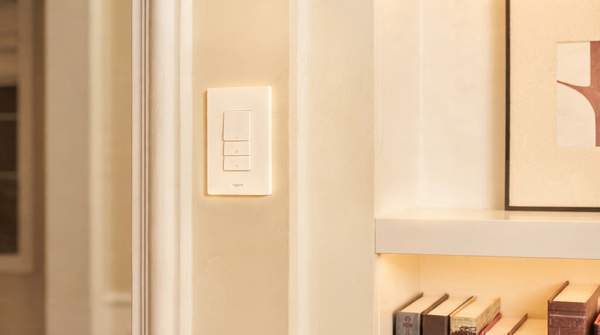
A smart switch moves the intelligence to the wall. It replaces your existing switch and, as the same guide notes, can turn any bulb—smart or not—into a controllable light. That makes switches a cost-effective solution for large spaces or rooms with many bulbs, because one device covers every light on that circuit. The trade-off is installation: replacing a wall switch involves electrical wiring, which is more complex than screwing in a bulb and may call for professional help.
There is also a control quirk worth understanding before you buy. A smart bulb only works while it has power, so the physical wall switch must stay in the "on" position for app, schedule, or voice control to function. Flip that switch off, and the bulb goes completely dumb. Smart switches avoid this problem entirely because the wall control is the smart device itself.
Understanding Smart Lighting Connectivity
Whichever hardware you choose, it has to talk to your home network somehow. There are three main approaches, and the one you pick shapes cost, reliability, and how far your system can expand.
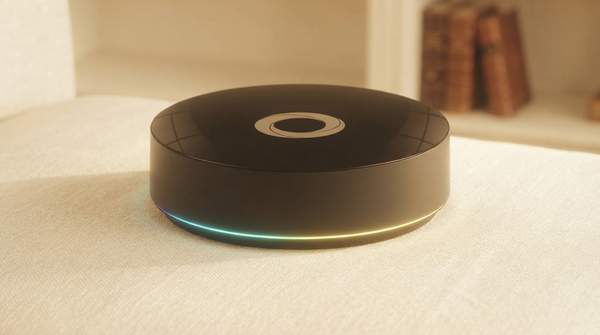
Wi-Fi (direct connect). Wi-Fi-enabled bulbs and switches connect directly to your home router—no extra hardware. As a smart lighting comparison by Glenn Kutoroff at Total Home Interiors puts it, if you prefer simpler setups, Wi-Fi-enabled options connect directly. The downside is network dependency: every device occupies a place on your Wi-Fi network, and performance depends on your router's reach and reliability.
Bluetooth. Bluetooth-paired devices need no hub at all, which keeps costs down for a first bulb or two. The limitation is range: Bluetooth control generally works only when you are near the lights, which makes it better for a single room than a whole-home plan. Kutoroff's comparison also flags "Bluetooth caps" as a drawback of Philips Hue when used without its hub.
Hub-based systems (Zigbee/Z-Wave). Systems like Philips Hue route their devices through a dedicated bridge. The Hue Bridge, in Kutoroff's words, "enables scenes, rooms, and reliability," supporting whole-home setups with coordinated scenes and dependable performance. The cost is the hub itself plus a steeper entry price—CNET's smart lights guide notes that a hub bundled with a full kit of four lights is "an expensive prospect, best suited for those who are sure what they want."
Smart Lighting Decision Framework
The matrix below maps the two starting points across the four factors that matter most. Use it to locate your own situation: your housing status, the room you are upgrading, and who needs to be able to turn the lights on.
| Factor | Smart Bulbs | Smart Switches |
|---|---|---|
| Installation | Simple—screw into existing fixtures; no wiring typically required (standard bulb replacements; complex fixtures excluded) | More complex—replaces existing wall switches and involves electrical wiring; may need professional help |
| Upfront cost | Higher per unit than regular bulbs; costs multiply when outfitting many fixtures | More cost-effective for large spaces or rooms with many bulbs, since one switch controls all connected lights |
| Control flexibility | Color changing, dimming to any level, music/TV sync, schedules—but the physical switch must stay on, or smart control is lost | Wall switch keeps working normally while adding smart control; bulbs on the circuit can be standard, non-smart bulbs |
| Connectivity | Available as Wi-Fi, Bluetooth, or hub-based (e.g., Philips Hue with its Bridge) | Available as Wi-Fi or hub-based depending on brand (e.g., Lutron, Belkin Wemo) |
| Ideal use case | Renters, single-fixture or lamp upgrades, and rooms where per-bulb color and scene control matter most | Homeowners, whole-room or whole-home plans, and rooms with multiple recessed lights run off one switch |
Reading the matrix as a decision: if any single row rules an option out for you—say, you rent and cannot legally rewire a switch—that answer wins regardless of the other rows. If several rows point the same way, that is your starting point.
Choosing Your Smart Lighting Starting Point
If you rent, start with smart bulbs. You cannot replace wall switches in a rental, but you can screw in a bulb. Wirecutter's smart bulb guide, authored by Megan Wollerton, describes this as a near-instant room transformation: pair a bulb with an app and you get scheduling, arrival-triggered lighting, and ambiance changes without ever buying or installing a dimmer switch.
If you want one room upgraded cheaply and simply, bulbs on Wi-Fi are the low-friction path. Kutoroff's comparison recommends WiZ or LIFX for lower cost and a simpler installation process, while reserving Philips Hue for buyers who want top-tier voice control, color temperature tuning, and ambient lighting. Just remember the switch-stays-on rule, and consider taping over the wall switch or leaving a note so houseguests don't accidentally cut power to your smart setup.
If you own your home and are planning beyond one room, switches earn their installation effort. One smart switch can bring every bulb on a circuit—smart or not—under app and voice control, which keeps costs down as you scale. Kutoroff's guidance is to mix bulbs and switches for whole-home flexibility: switches for the main room circuits, bulbs where you want individual color or scene control.
If you are committing to a whole-home ecosystem, budget for a hub. The hub-based route costs more up front, as CNET's guide cautions, but it is the path to coordinated scenes, rooms, and the reliability that a multi-room system depends on. Kutoroff also notes Hue's drawbacks—network dependency, installation complexity, and occasional compatibility issues—so weigh those against the ecosystem benefits before committing.
Making Your Smart Lighting Choice
Choose smart bulbs for easy, flexible upgrades in individual fixtures, especially if you are renting or working with a tighter per-fixture budget. Opt for smart switches for whole-room control, long-term cost-effectiveness, and keeping traditional wall control, particularly if you own your home and are comfortable with minor electrical work. Neither choice locks you in: the two approaches can be mixed later for whole-home flexibility.
Before you buy, confirm three things: that your fixture takes a standard replaceable bulb (for bulbs) or that you can safely access the switch's wiring (for switches), that the product's connectivity—Wi-Fi, Bluetooth, or hub—matches your home network and platform, and that the per-room cost math favors your pick. You will know your starting point has succeeded when your chosen smart lighting system is installed and you can control your lights via app or voice commands.
Sources
- Illuminate the Future: An In-Depth Guide to Smart Lighting — NAR
- Best Smart Lighting Systems for Every Room (Philips Hue vs. Alternatives) — Total Home Interiors
- Best Smart Lights for 2026: Major Upgrades for Any Home - CNET
- The Best Smart LED Light Bulbs — Wirecutter: Reviews for the Real World